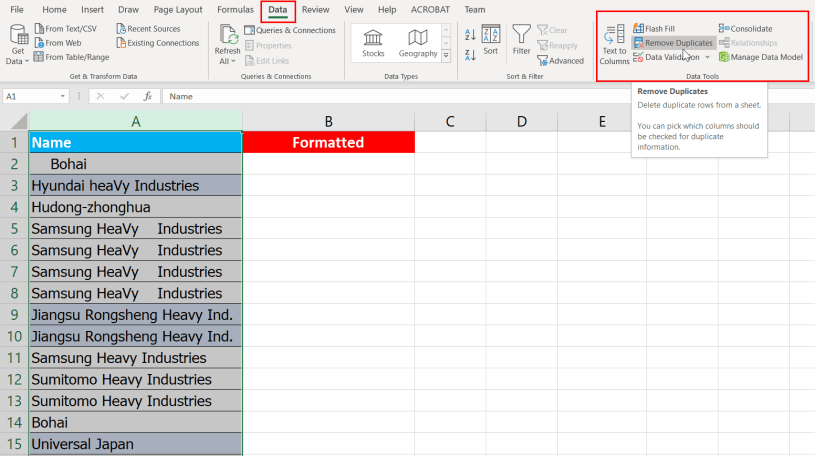
In almost every company, you will deal with large sets of data. Often, these data needs to be cleaned, in order word, formatted properly. It is important if you are required to upload the data into an IT system. In this post, you will find a simple method to remove duplicate data.
Removing Duplicate Data
Step 1: Select the column/fields you want to remove duplicate data.
Step 2: Go to Data Tab > Click on Remove Duplicate button
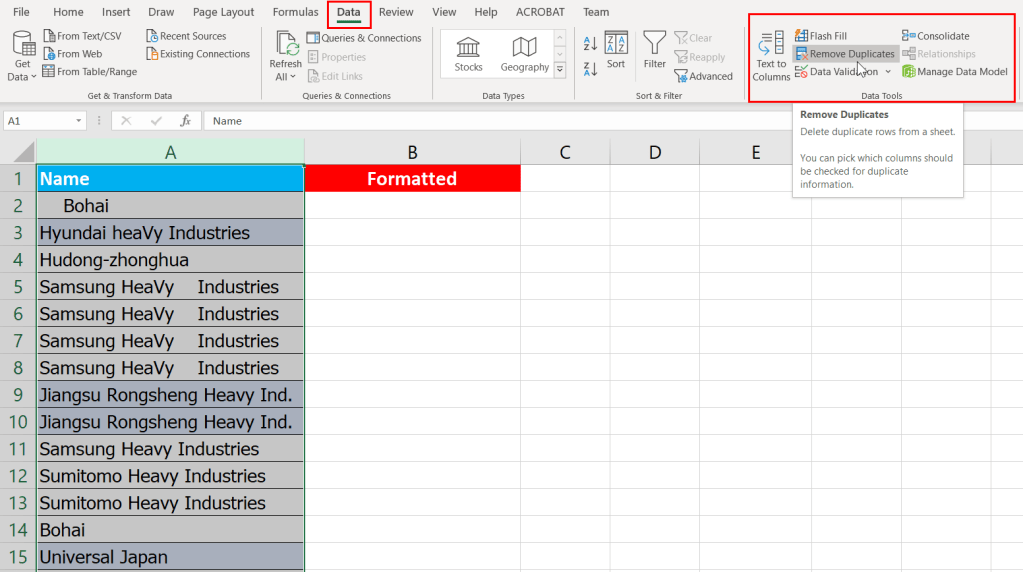
Step 3: You will be prompted with a warming message. Select ‘Continue with the current selection’ and click on ‘Remove Duplicates’ button.

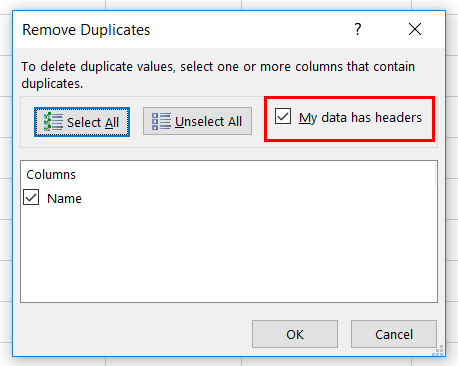
Step 4: Click on ‘My data has headers’ checkbox and click on the column header to exclude during filtering. Click on ‘OK’ button.
 Tech That Matters