
Here is a quick productivity tip on how you can configure your Window’s Settings to enable 1-press screenshot.
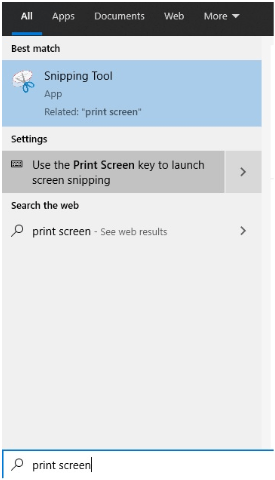
Step 1: Search for “Print Screen” at Start Menu. Select “Use the Print Screen key to launch screen snipping”.
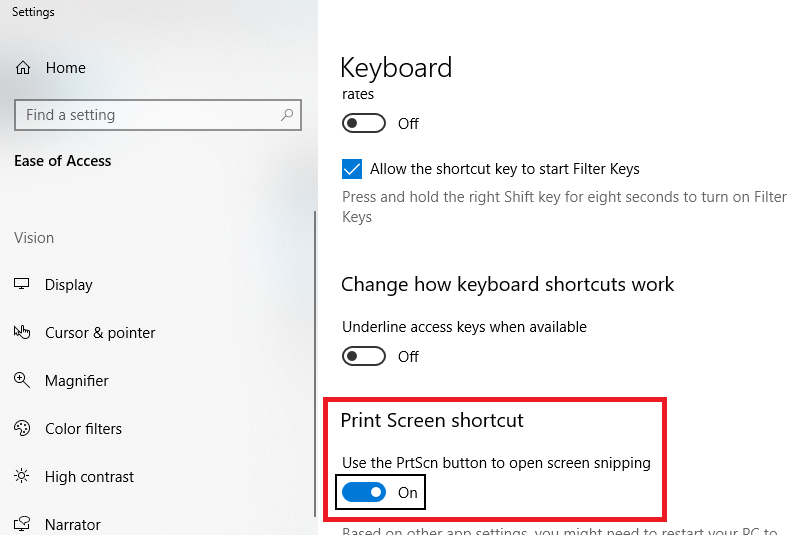
Step 2: Turn on Print Screen shortcut.
Step 3: Press Prt Sc button on your keyboard and try it out!
Now, you could remove the snipping tool icon from your taskbar!
This tip saves you: 2 seconds/screenshot
 Tech That Matters