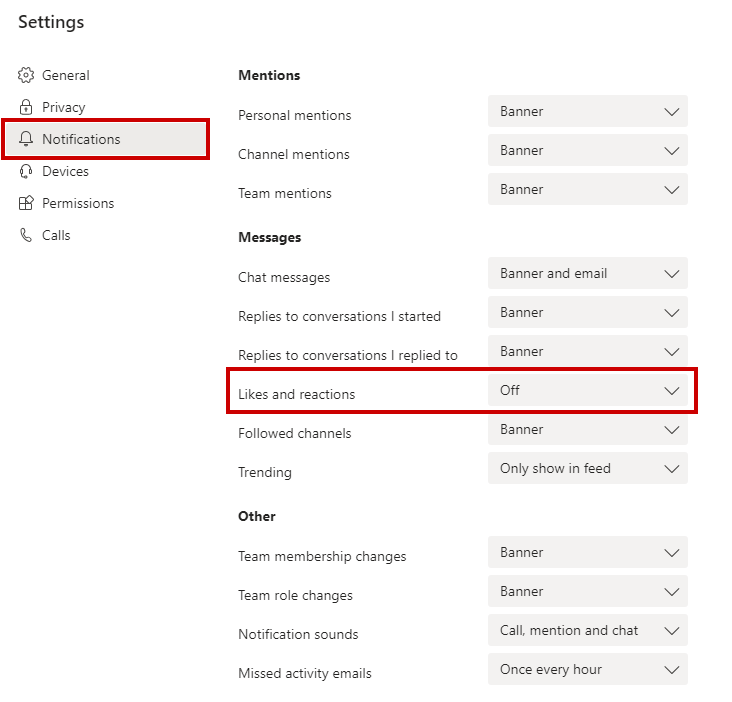
Turning off your notification for likes & reactions from others will save you half a second from being distracted! You will see them anyway when you get back to respective conversation windows.
You can turn off such notifications and other notifications under the Settings.
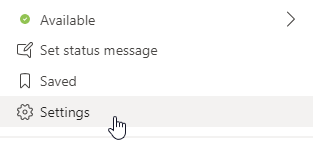
Step 1: Select Settings in Teams
Step 2: Select Notifications
 Tech That Matters