
If you are experiencing low Internet connection issues or having a limited bandwidth in the network, you can turn off others videos during the call.
This is also useful for large group video calling.
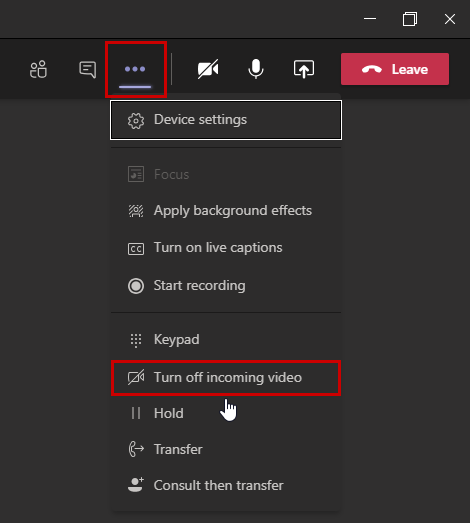
Once you clicked on the “Turn off incoming video” button, you will turn off the video for others, on your computer. You will still able to hear them.
Alternatively, you could upgrade your broadband plan or relocate beside your WiFi! Do note that WiFi radiations are not harmful to your body. The lights emitted from your phone and TV have more radiations than the WiFi.
Steps: Go to video call menu > select three dotted icon > click on Turn off incoming video.
 Tech That Matters