
Save your time by accessing Yammer directly from Teams! Check out how you can install the yammer plugin into Teams.
Do note that the available plugins are controlled by Office 365 administrators. Thus, you will not be able to find all available plugins in the app store.
Steps:
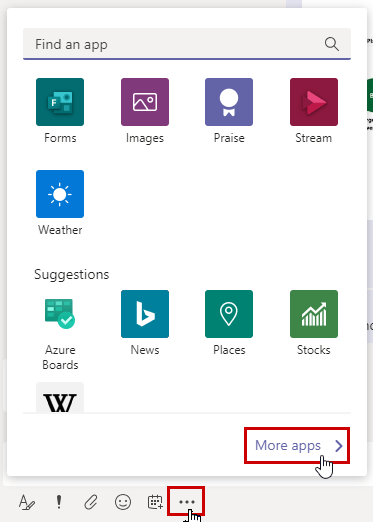
- Open any chat conversation.
- At the bottom, you will see more option icon.
- Click on More Apps.
4. Search for Yammer or Communities.
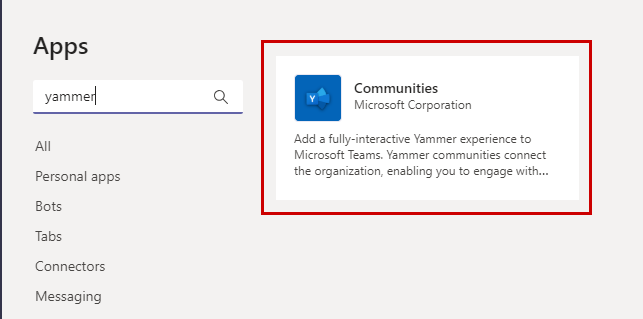
5. Install.
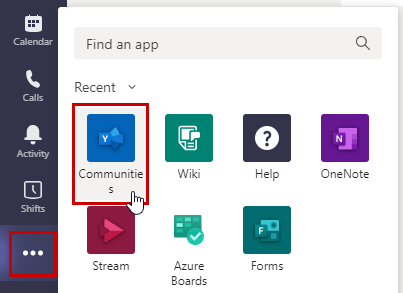
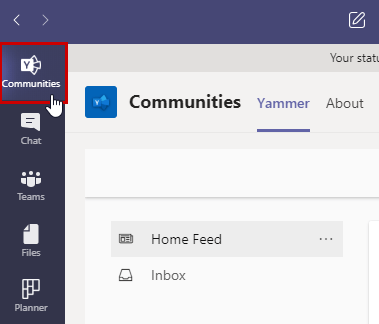
6. After installation, pin it to your sidebar menu!
 Tech That Matters