
If you have a standalone SharePoint site, which is not created via Teams channel, you can add the folders into any existing Teams channel!
Do note that only members of the standalone SharePoint site can access the folders/files you have added into the Team channel. Existing members in Teams who do not have access to the standalone SharePoint site is unable to view the files.
Here is how you can add a standalone SharePoint document folders into any existing Teams channel.
Steps:
- Go to Document Library of the standalone SharePoint. (Settings > Site Contents > Document Library>
- Copy the bolded part of the URL of document library page. Example: (https://abc………copy until here)/Shared%20Documents/Forms/AllItems….
- Go to Teams channel you would like to add the document folders in.
- Click on Files tab.

5. Click on “+ Add cloud storage”.
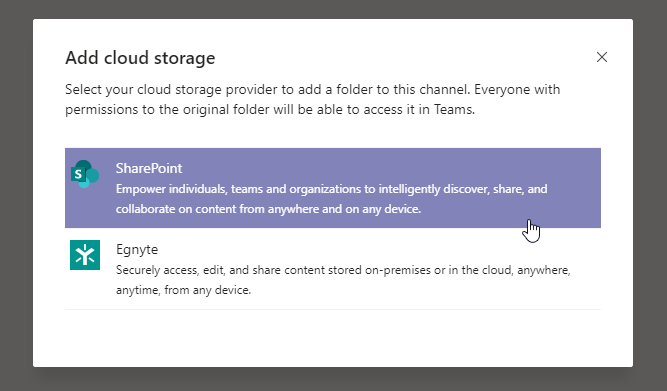
6. Select “Use a SharePoint link”.
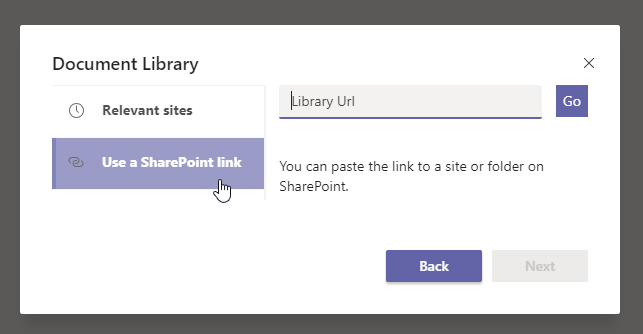
7. Paste the URL & select the folder you would like to access via Teams.
You can also add document folders by selecting from “Relevant sites” option
 Tech That Matters