
Time to challenge the status quo!
Are you still tolerating with the date formats in Microsoft Teams? By default, you will see all date formats on Teams as MM/YY. In Asia, you might not be comfortable with this date format.
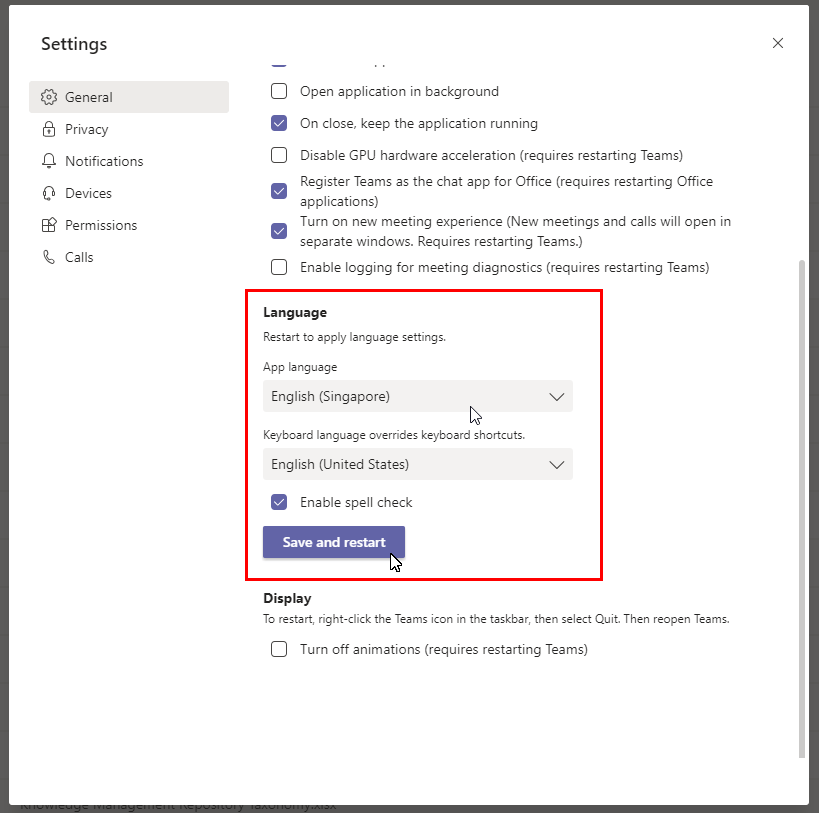
However, you can change the status quo under the settings! This might just be a hidden feature under Language setting!
Steps:
- Go to Settings under profile icon.
- Click on General.
- Go to Language section
- Change the Langauge to English (Singapore) or other regions.
- Click on “Save and restart” button.
 Tech That Matters