
Your colleagues are messaging you while you are in a meeting. You are also sharing your screen during the meeting. And everyone is seeing your incoming messages with a message preview. How can you hide those message previews?!
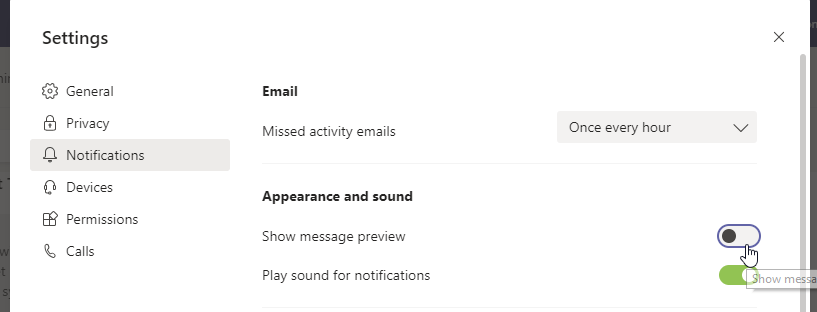
Follow the steps below to turn off the message preview but still receive incoming messages in Microsoft Teams. Thank me later..
Steps:
Settings > Notifications > Show message preview > Switch the toggle off
 Tech That Matters